
Tools & How-Tos


Unlocking Team Potential: How to Use Collaboration Software
If your team's communication feels like a game of telephone played through a broken landline during a thunderstorm, you're not alone. In today's hybrid work world, where some colleagues exist only as mysterious Zoom squares and others communicate exclusively through cryptic Slack emojis, collaboration software has become the digital duct tape holding our professional lives together. But here's the thing: most teams are using these powerful tools like they're fancy typewriters, missing out on features that could transform chaos into symphony.

How to Use Virtual Data Rooms: a Comprehensive Guide
You've been told that email attachments and cloud storage are enough for your sensitive business documents — but that approach might be exposing your company to catastrophic risks and missed opportunities.

Mastering the Process: How to Use Medical Billing Software
You've been told that medical billing software is just another administrative tool—something you'll figure out as you go. But that mindset might be costing your practice thousands in denied claims and countless hours in manual corrections.

The Best Way to Use Business Intelligence Software
Your spreadsheets are screaming. Your data sits in silos like forgotten treasure chests. Every Monday morning brings the same ritual: hunting through folders, copying numbers into presentations, and praying the formulas still work. Business Intelligence software promises to end this chaos, but most companies treat it like an expensive calculator instead of the strategic weapon it could become.

Choosing the Right Laptop: a Guide to Making an Informed Decision
Did you know that the average laptop purchase decision takes consumers 23 hours of research spread across six weeks? Yet despite all that time invested, nearly 40% of buyers experience "laptop regret" within the first year of ownership. In our hyper-connected world where your laptop becomes an extension of your professional identity and creative potential, making the wrong choice can feel like wearing shoes that don't fit—technically functional, but fundamentally uncomfortable.

How to Use Call Center Software: a Comprehensive Guide
You've been told that expensive call center software is just for massive corporations with thousands of agents. But this belief might be keeping your growing business from the customer service breakthrough it desperately needs. The truth? Modern call center software has democratized professional customer support, making enterprise-level tools accessible to businesses of every size.

Mastering Inventory Management Software: a Step-By-Step Guide
Picture this: You're the protagonist in a video game where your mission is to keep track of thousands of moving pieces, predict future demand, and never run out of the one item everyone desperately needs. Welcome to the world of inventory management—except unlike in gaming, there's no cheat code for infinite resources. But here's the plot twist: there's something almost as good as a cheat code, and it's called inventory management software.

The Best Use of Time Tracking Software: Maximizing Productivity
Last Tuesday at 3:47 PM, I stared at my computer screen in disbelief. My time tracking app cheerfully informed me that I'd spent 4.2 hours "researching" for a project that should have taken 90 minutes. But here's the kicker—I genuinely felt like I'd been working hard all day. The rabbit holes of "related articles," the spontaneous Slack conversations, and the "quick" social media checks had devoured my afternoon like digital quicksand. That moment of reckoning sparked a journey that transformed how I think about productivity, focus, and the surprising psychology behind our relationship with time.

Employee Training Software: Revolutionizing Workplace Learning
Did you know that companies with comprehensive training programs see 218% higher income per employee than those without? Yet despite this staggering statistic, most organizations still struggle with outdated training methods that leave employees disengaged and knowledge retention rates hovering around a dismal 20%. The digital revolution has finally caught up with corporate learning, transforming how we acquire skills and knowledge in the workplace.

How Screen Time Apps Actually Change Your Relationship with Your Phone
Millions of people have installed a screen time app expecting it to fix their phone habits, only to find themselves swiping past the weekly summary without much changing. That doesn't mean the apps are useless – it means most people misunderstand what they're actually built to do. A screen time tracker isn't a willpower substitute; it's a mirror, and mirrors only help if you're willing to look closely at what they show.

Why Your Email Inbox Is a To-Do List You Never Agreed To
Open your inbox right now and count how many messages are actually asking you to do something. Not inform you, not entertain you – demand a decision, a reply, a follow-up, or a click. For most people that number is unsettling, and it explains why checking email feels less like communication and more like inheriting someone else's chores.

Can You Run a Full Workflow on a Tablet Instead of a Laptop?
The dream of replacing a laptop with a tablet has been dangled in front of us for years. Every iPad Pro launch cycle comes with the same question: is this finally the year a tablet becomes a real computer? And every year, the answer is roughly the same: it depends on what you actually do.

How Do You Build a Second Brain Without Overcomplicating It?
The concept sounds immediately appealing: a personal system that stores everything you learn, captures ideas before they disappear, and actually helps you think better over time. A second brain. The problem is that most people who try to build one spend three weeks designing an elaborate Notion setup, burn out organizing empty folders, and quietly abandon the whole thing before capturing a single useful thought.

How Do You Declutter Your Digital Life Without Losing Anything Important?
Somewhere between 40,000 unread emails, a photo library you haven't scrolled past 2022, and a phone home screen that's basically a junk drawer, most of us are carrying around a genuinely overwhelming amount of digital clutter. Unlike physical clutter, it doesn't take up visible space in your house, which is exactly why it's so easy to ignore until it starts slowing down your devices or your brain.
How Do You Declutter Your Digital Life Without Losing Anything Important?
Somewhere between 40,000 unread emails, a photo library you haven't scrolled past 2022, and a phone home screen that's basically a junk drawer, most of us are carrying around a genuinely overwhelming amount of digital clutter. Unlike physical clutter, it doesn't take up visible space in your house, which is exactly why it's so easy to ignore until it starts slowing down your devices or your brain.

How Do You Move From Google Workspace to a Privacy-Friendly Alternative?
Google Workspace is genuinely impressive software. Gmail, Drive, Docs, Meet, Calendar – it's a tightly integrated ecosystem that millions of individuals, teams, and businesses rely on every day. The problem isn't the functionality. The problem is the business model underneath it. Google's core revenue engine is advertising, and advertising runs on data. Your emails, documents, search patterns, and calendar events collectively paint a detailed picture of who you are – one that Google has both the ability and the commercial incentive to use.
How Do You Move From Google Workspace to a Privacy-Friendly Alternative?
Google Workspace is genuinely impressive software. Gmail, Drive, Docs, Meet, Calendar – it's a tightly integrated ecosystem that millions of individuals, teams, and businesses rely on every day. The problem isn't the functionality. The problem is the business model underneath it. Google's core revenue engine is advertising, and advertising runs on data. Your emails, documents, search patterns, and calendar events collectively paint a detailed picture of who you are – one that Google has both the ability and the commercial incentive to use.

How Do You Set Up a Personal Knowledge Base That You Will Actually Use?

How Do You Set Up a Personal Knowledge Base That You Will Actually Use?
Most people who try to build a personal knowledge base fail for the same reason: they spend more time designing the perfect system than actually putting information into it. You've probably seen the elaborate setups online – color-coded tags, nested folder structures five levels deep, elaborate linking systems that look impressive in a screenshot but collapse the moment real life gets busy. The system that actually works is almost always simpler than the one people build first.

How Do You Set Up a Personal VPN Without Deep Technical Knowledge?
VPNs have a reputation problem. On one side, there are the commercial VPN providers plastering YouTube with sponsored segments about how you're being watched every second you're online. On the other side, there are the deeply technical guides about self-hosting WireGuard on a VPS that assume you're comfortable SSHing into a Linux server and editing config files. Neither is particularly helpful if you just want to understand what a VPN actually does, whether you need one, and how to get set up without a networking degree.

How Do You Stop Notifications From Destroying Your Focus?
Your phone buzzes. You glance at it. It's nothing important. You put it down. But you've already lost the thread of whatever you were doing, and it's going to take you a few minutes to find it again. Multiply that by 50, 80, or even 100 interruptions a day – the average smartphone user receives somewhere in that range – and you start to see why so many people end a full workday feeling exhausted but unaccomplished.

How Do You Use AI Assistants Without Giving Away Sensitive Information?
AI assistants have become the place people casually ask about medical symptoms, paste in work documents, and vent about personal problems, often without stopping to think about where that information actually goes. It's not that AI assistants are secretly malicious, most reputable ones aren't, but understanding how they handle your data helps you use them confidently instead of anxiously, and know where to draw a reasonable line.
How to Back Up Your Entire Digital Life in an Afternoon
There's a very specific kind of dread that hits when a phone won't turn on, a laptop hard drive starts clicking, or a cloud account gets locked for no clear reason. In that moment, you find out exactly how much of your life was sitting in one fragile place with no backup at all. The good news is that fixing this doesn't require a weekend or any deep technical skill. A few focused hours can put a real safety net under your photos, documents, and accounts.

How to Clean Up Your Subscriptions Before They Clean Out Your Wallet
Subscriptions have quietly become the default way we pay for almost everything – streaming, software, storage, meal kits, apps you downloaded once and forgot existed. Individually, each one feels small enough to ignore. Added together, they can quietly become one of the biggest recurring expenses in your monthly budget, and most people genuinely don't know the full total until they sit down and add it up.

How to Use AI Writing Tools Without Sounding Like Everyone Else
Most conversations about screens and families focus on limits, timers, and guilt. Less time on the phone, less time on the tablet, less time in front of the TV. But for a lot of households, screens aren't going anywhere, and treating them purely as the enemy misses an opportunity. When screen time is approached intentionally, it can actually become a bridge for connection rather than a barrier to it. The shift isn't about eliminating screens, it's about changing how and when your family uses them together.

Is Apple Notes Actually Good Enough for Serious Note-Taking?
Every time someone recommends Notion, Obsidian, or Evernote for note-taking, there's usually a quiet contingent of people wondering why they'd bother switching from an app that's already sitting on their phone, does everything for free, and syncs without a second thought. Apple Notes has a reputation for being the "casual" option – fine for grocery lists and quick reminders, but not something you'd call a real productivity tool. The question worth actually digging into is whether that reputation is fair, or whether Apple Notes has quietly become capable enough that a lot of people are overpaying for features they don't need.

Is There a Better Browser Than Chrome for Privacy-Conscious Users?
Chrome is the most used browser on the planet by a significant margin – somewhere around 65% of global web traffic flows through it. And if you've ever looked into what that actually means for your data, you'll understand why privacy-conscious users have been quietly migrating away from it for years. Chrome is a Google product, and Google is an advertising company. Those two facts are not unrelated.

The Best Free Alternatives to Expensive Software You're Still Paying For
Subscription fatigue is real, and a lot of software subscriptions renew quietly every month for tools most people barely use to their full potential. The good news is that the free and open-source software ecosystem has matured enormously, and in many categories, the free option is now genuinely competitive with the paid version, not just a stripped-down compromise. Here's a look at where you can realistically cut costs without cutting quality

What Are Micro-Communities and Why Are They Replacing Mass Platforms?
Something interesting is happening online. After years of everyone migrating to the same five platforms and chasing the same algorithmic metrics, people are quietly moving in the opposite direction — into smaller, more focused spaces where the signal-to-noise ratio actually makes sense. These spaces have a name: micro-communities. And they're not a niche trend. They're increasingly looking like the next dominant model for how people connect, share, and build identity online.

What Is Arc Browser and Is It Worth Replacing Chrome?
Browsers rarely get people genuinely excited – they're infrastructure, the thing you open to get to the thing you actually want. Arc managed to break that pattern, building a passionate following by rethinking what a browser could look and feel like, rather than just adding another layer of features onto the same tab-bar-at-the-top formula everyone's used for two decades. Whether that reinvention is actually worth switching for depends a lot on how you personally use a browser day to day.

What Is Linear and Why Are Product Teams Switching From Jira?
If you've spent any time in a software team in the last few years, you've probably heard someone complain about Jira. Not because it doesn't work – it does – but because using it often feels like it was designed for a different era of software development. Endless configuration, sluggish load times, ticket fields nobody fills out, and a UI that seems to actively resist getting things done quickly. Jira became the default for so long that many teams never stopped to ask whether there was a better way.

What Is Obsidian and Is It Better Than Notion for Most People?
If you've spent any time in productivity or personal knowledge management circles online, you've probably come across people who are almost unreasonably passionate about Obsidian. They talk about it the way certain people talk about mechanical keyboards or Linux – with the particular enthusiasm of someone who found a tool that genuinely changed how they work. And if you're already using Notion, your reaction was probably some version of: "okay but I already have something, why would I switch?"
What Is Zapier and When Does Automation Actually Save You Time?
Automation is one of those words that gets thrown around constantly in productivity circles until it stops meaning anything. "Automate your workflow" sounds great in theory, but the reality for most people is that they've spent three hours setting something up to save four minutes a week. At some point the math stops working.

What Is the Best Free Alternative to Adobe Creative Suite Right Now?
Adobe's Creative Cloud pricing has become genuinely hard to justify for a lot of people. The full suite runs well over $600 a year, and even single-app subscriptions – Photoshop alone, Illustrator alone – are $20–$55 a month depending on how you're billed. For freelancers, students, and anyone who doesn't use these tools every working hour, that math stops making sense pretty quickly.

What Is the Best Free Tool for Removing Backgrounds From Images?
Background removal used to be a Photoshop job. You'd spend 20 minutes with the magic wand tool, swear a few times at stray pixels around hair and fur, and eventually end up with something passable. Now it takes about three seconds and a browser tab. The technology has gotten genuinely impressive – and most of the best options are free.

What Is the Best Screen Recorder for Creating Tutorial Videos?
Anyone who's tried making a tutorial video knows the actual recording is rarely the hard part – it's picking the right tool before you even start. Some screen recorders are built for quick, casual clips, while others are made for polished, edited tutorials with voiceovers, zoom effects, and clean exports. Since the "best" answer depends heavily on what kind of tutorial you're making and how much editing you're willing to do afterward, it's worth breaking down the strongest options by what they're actually good at.

What Is the Best Way to Manage Passwords Across All Your Devices?
If you're still reusing the same password across multiple accounts – or cycling through a small rotation of familiar ones – you're not alone, but you are at risk. The average person has over 100 online accounts. No one can actually remember 100 unique, secure passwords. So most people don't bother, and that's exactly what attackers count on.

What Is the Best Way to Organize Your Digital Files Once and for All?
If your desktop looks like a filing cabinet exploded and your Downloads folder is where files go to die, you're not alone. Digital clutter is one of those slow-burn problems that most people tolerate for years before it finally becomes annoying enough to fix. The good news is that a solid file organization system – one you actually stick to – isn't complicated. It just requires building it the right way from the start.
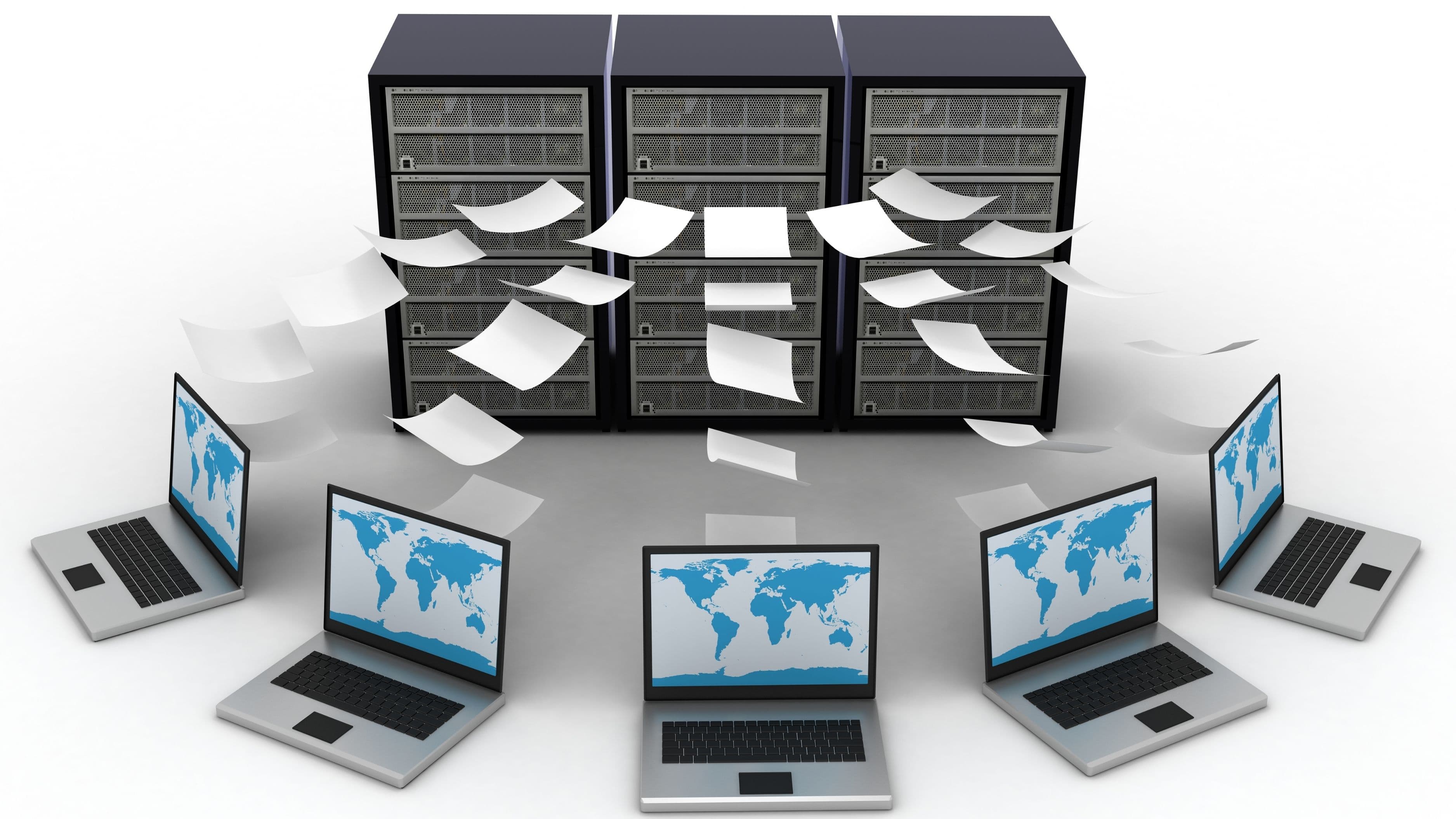
What Is the Best Way to Share Large Files Without Using Email?
You've probably hit that frustrating moment where you're trying to send a video, a batch of high-res photos, or a large project file, only to get bounced back by an email attachment size limit you didn't even know existed. Most email providers cap attachments somewhere between 20-25MB, which sounds reasonable until you're dealing with anything beyond a basic document.

What Is the Most Underrated Productivity App Nobody Is Talking About?
Everyone's heard of Notion, Todoist, and the endless parade of task managers competing for your attention. But there's a quieter category of productivity tools that solve a problem most people don't realize they have until they try one, and one in particular deserves far more attention than it gets. It's not flashy, it doesn't have a huge marketing budget, and that's exactly why most people have never heard of it.

What Tools Do You Actually Need to Work Fully Remotely?
Remote work sounds simple until you're on your third dropped video call of the morning, digging through three different apps to find a file someone shared last week, and realizing your home internet has become the single most important piece of infrastructure in your professional life. The fantasy of working from anywhere is real – but so is the gap between a functional remote setup and a frustrating one.

Which AI Writing Tool Is Worth Using and Which Ones Should You Skip?
The AI writing tool market has exploded. There are dozens of products competing for your subscription dollars, most of them promising to "10x your output," "write like a human," and eliminate writer's block forever. Some of them are genuinely useful. A lot of them are the same underlying model wrapped in a slightly different interface, charging you monthly for the privilege.

Which Note-Taking App Is Actually Worth Switching to in 2026?
The note-taking app space has gotten genuinely crowded, and the choice has somehow gotten harder over the last few years rather than easier. Notion added databases and AI. Obsidian built a cult following around local-first, linked thinking. Apple Notes quietly became surprisingly capable. And a new wave of apps – Reflect, Capacities, Mem – have been chasing the "second brain" promise with varying degrees of success.

Why Does Cancel Culture Keep Coming Back Despite Everyone Hating It?
Ask almost anyone whether they like cancel culture and they'll say no. Conservatives hate it as ideological mob rule. Progressives increasingly disavow the term. Celebrities who've survived it describe it as traumatic. Academics warn about chilling effects on speech. Comedians make entire specials about it. And yet, reliably, every few weeks, a new pile-on begins, a new name trends for the wrong reasons, and a new round of cancellation discourse fills every corner of the internet.

Why Your Browser Extensions Are Slowing You Down More Than You Think
Browser extensions feel free. You click install, grant a few permissions without reading them closely, and move on. But every extension running in your browser is actively consuming memory, processing power, and sometimes your data – and most people have accumulated far more of them than they realize, quietly dragging down a browser that used to feel fast.

Why a Simple System Always Beats a Complicated One for Productivity
There's a specific pattern that shows up constantly in productivity culture online: someone discovers a beautifully designed app with color-coded tags, custom dashboards, and a dozen automation rules, spends an entire weekend setting it up perfectly, and then abandons it within two weeks because maintaining the system became a bigger job than the tasks it was supposed to organize. This isn't a personal failure. It's a predictable outcome of building something more complex than the problem actually requires.
Explore other categories
Same editorial standard, different decisions.

AI Coding Tools
Agent comparisons, MCP setups, local models, and the workflows that actually ship.
Browse AI Coding Tools
Artificial Intelligence
Browse Artificial Intelligence
Error Fixes
Exact root causes and permanent fixes for the bugs that stop your ship.
Browse Error Fixes
Internet Culture
Browse Internet Culture
Privacy & Security
Browse Privacy & Security
Tech & Innovation
Browse Tech & Innovation
Tools & Career
Developer tooling, security patterns, and career moves that compound.
Browse Tools & Career