Introduction: Prompts as Code
In the early days of LLM integration, prompt engineering was treated as an informal, ad-hoc task. Developers experimented with different prompt wordings in a playground, copied the best-performing text, and pasted it directly into their application code as hardcoded strings.
In 2026, this approach is a major anti-pattern.
As LLM-powered applications grow in complexity, prompts have become critical software assets. They define your application's user experience, security boundaries, and data processing logic. Hardcoding prompts inside your application code introduces major operational bottlenecks:
- Updating a single prompt instruction requires a full application rebuild and redeployment.
- There is no way to track prompt changes over time or attribute regressions to specific prompt edits.
- Testing a new prompt version against production data requires risky, manual hotfixes.
To manage prompts at scale, we must treat them as first-class code assets. This requires a dedicated Prompt Version Control System (PVCS).
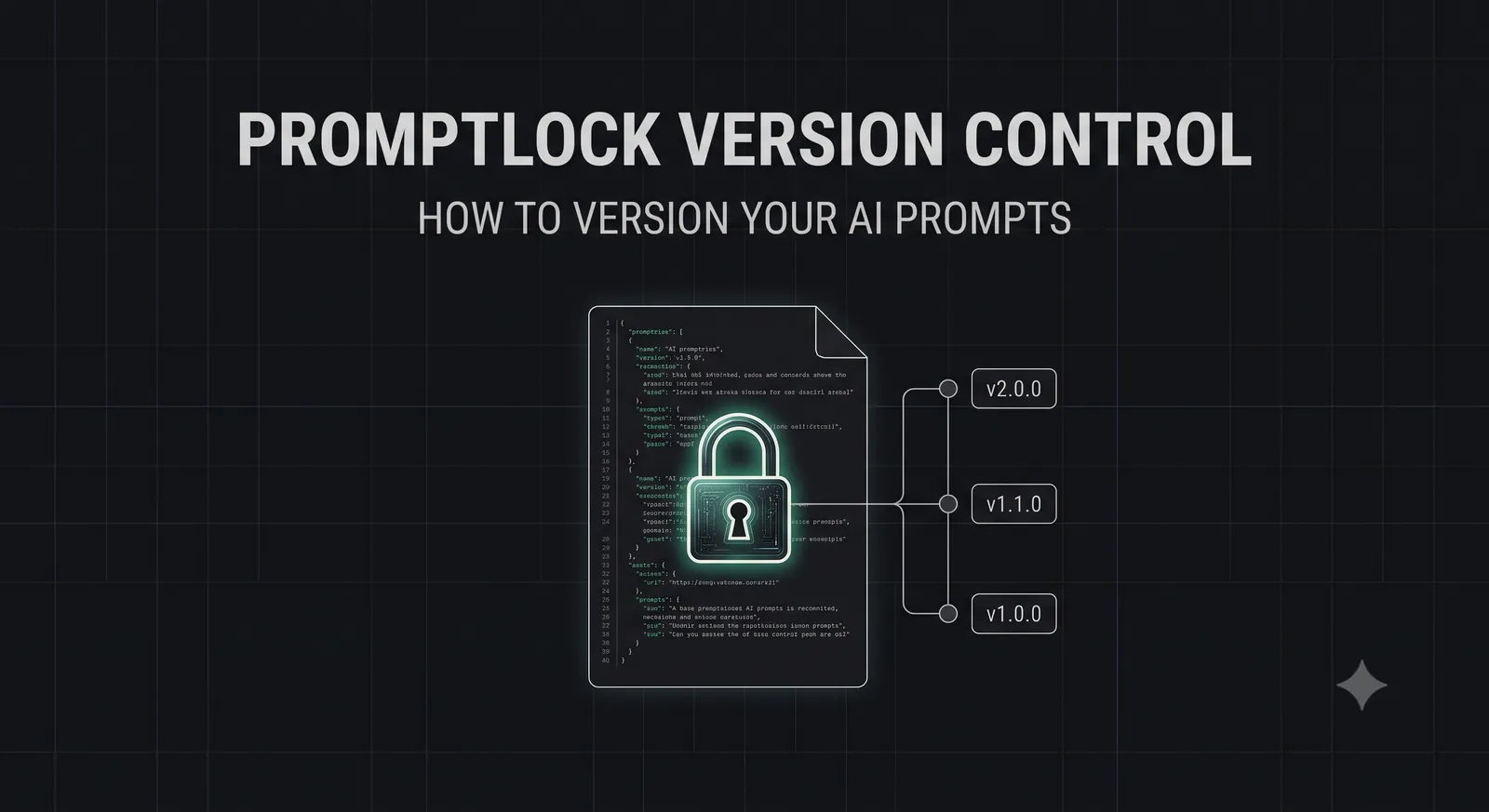
Promptlock is the premier open-source tool for prompt version control and deployment. By decoupling prompts from your application code and managing them inside a secure, git-like registry, Promptlock allows you to version, test, and deploy prompts dynamically without redeploying your codebase.
In this guide, we will analyze the architecture of Promptlock, walk through step-by-step integration into your Node.js backend, and implement automated prompt CI/CD pipelines to guarantee safe deployments.
The Prompt Management Problem: Decoupling Code and Intent
To understand why a dedicated tool like Promptlock is necessary, we must analyze the physical separation of Code and Intent:
- Code (Deterministic): The application logic, API routing, and database connections. Code changes slowly and requires strict compilation, testing, and deployment cycles.
- Intent (Probabilistic): The system instructions, persona definitions, and safety guardrails fed to the LLM. Prompts change rapidly based on user feedback, model updates, and performance tuning.
By coupling these two layers together, you force your deterministic code to adapt to the rapid, iterative pace of your probabilistic prompts, leading to unstable deployments and slow development velocity.
What is Promptlock?
Promptlock is an open-source Prompt Registry and LLM Ops gateway.
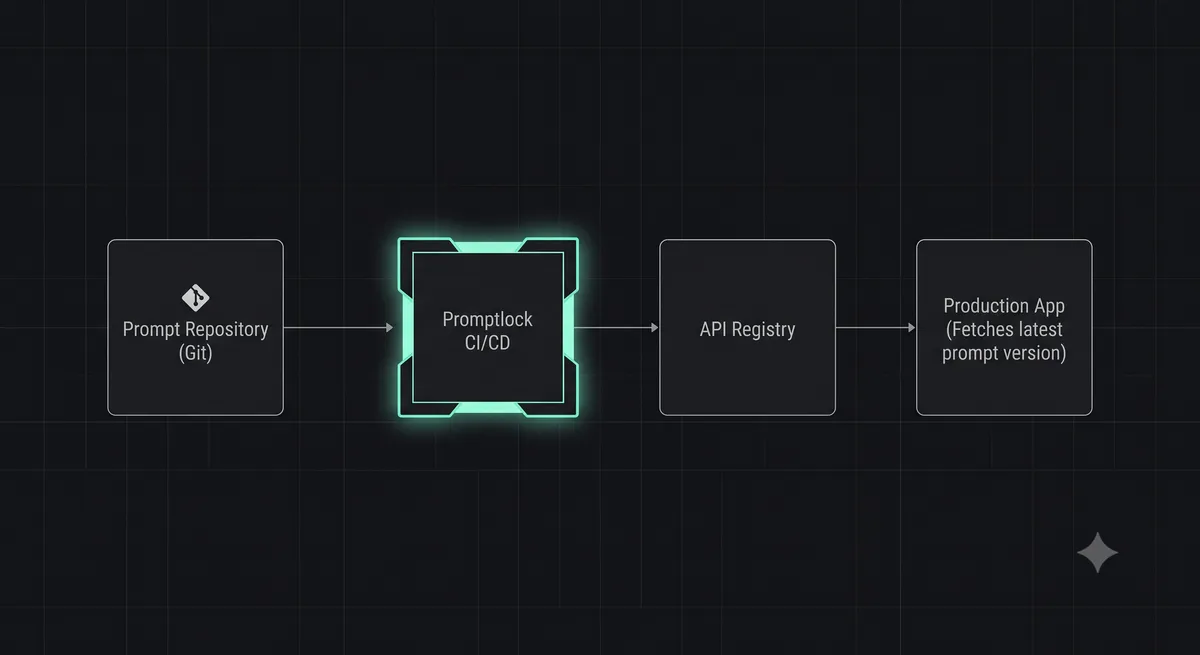
Instead of storing prompts as static strings in your code, you define them inside structured YAML files managed by Promptlock. These files are committed to a dedicated Git repository.
Promptlock parses these files, registers them in a secure, centralized database, and exposes them via a high-performance, edge-cached API. Your application simply requests the prompt by its identifier and version (e.g., customer-support-summary:v1.2.0), and Promptlock returns the compiled prompt instantly.
Core Concepts of Promptlock Versioning
Promptlock implements a robust versioning model based on standard software engineering practices:
- Semantic Versioning (SemVer): Prompts are versioned using
MAJOR.MINOR.PATCHsyntax. APATCHrepresents a minor wording tweak; aMINORrepresents a new variable or output parameter; aMAJORrepresents a complete prompt re-architecture or model swap. - Environment Tags: Map specific prompt versions to environment tags (e.g.,
production,staging,canary). Your application requests theproductiontag, allowing you to roll back or promote prompts instantly via Promptlock's dashboard without changing code. - Variable Schema Validation: Promptlock utilizes JSON Schema to validate that the variables supplied by your application at runtime match the variables expected by the prompt template, preventing runtime compilation errors.
Step-by-Step Tutorial: Registering a Prompt
Let's register our first prompt inside a modern Promptlock configuration.
Step 1: Define the Prompt YAML
Create a file at prompts/customer-support-summary.yaml in your prompt repository:
# prompts/customer-support-summary.yaml
id: customer-support-summary
version: 1.2.0
description: Summarizes customer support tickets for agent triage.
variables:
  customerName: string
  ticketContent: string
template: |
  You are an elite customer support specialist.
  Your task is to summarize the following support ticket submitted by {{customerName}}.

  TICKET CONTENT:
  "{{ticketContent}}"

  Format your output as a clean JSON object containing:
  - "urgency": (low, medium, high)
  - "summary": (max 2 sentences)
  - "suggestedAction": (next step for the agent)
Step 2: Publish to the Registry
Use the Promptlock CLI to validate and publish your prompt to the centralized registry:
npx promptlock publish prompts/customer-support-summary.yamlCode Integration: Fetching Prompts Dynamically
Let's integrate the Promptlock SDK into a Node.js backend. The SDK fetches the compiled prompt from the registry, automatically validating that all required variables are provided:
import { PromptlockClient } from '@promptlock/sdk';
import { OpenAI } from 'openai';

const openai = new OpenAI();

// Initialize Promptlock Client
const promptlock = new PromptlockClient({
  apiKey: process.env.PROMPTLOCK_API_KEY,
  endpoint: 'https://registry.promptlock.com'
});

export async function processSupportTicket(customerName: string, ticketContent: string) {
  try {
    // Fetch the production-tagged version of our summary prompt
    const prompt = await promptlock.getPrompt('customer-support-summary', {
      tag: 'production',
      variables: { customerName, ticketContent } // Variables are validated against schema
    });

    // Execute LLM call with the compiled prompt
    const response = await openai.chat.completions.create({
      model: 'gpt-4o',
      messages: [
        { role: 'system', content: prompt.systemInstruction },
        { role: 'user', content: prompt.compiledText }
      ],
      response_format: { type: 'json_object' }
    });

    return JSON.parse(response.choices[0].message.content || '{}');
  } catch (error) {
    console.error('Failed to process support ticket:', error.message);
    throw error;
  }
}
Promptlock CI/CD: Automated Prompt Testing
Decoupling prompts from code allows you to implement automated testing pipelines inside your prompt repository.
Whenever a developer modifies a prompt file and opens a Pull Request in GitHub, a Promptlock GitHub Action automatically triggers:
- Syntax & Schema Verification: Ensures the YAML file is valid and the JSON Schema for variables is correctly formatted.
- Adversarial Red Teaming: Runs automated prompt injection payloads against the new prompt version to ensure safety guardrails are not compromised. Read our guide on Prompt Injection Security to learn more.
- Regression Testing: Executes the new prompt against a curated dataset of test cases, measuring how often the model's output matches expected formats and benchmarks.
Conclusion: Decouple Your AI Stack
Hardcoding prompts inside your application code is an operational bottleneck that compromises development velocity and system stability.
By adopting Promptlock, treating prompts as first-class code assets, and managing them inside a secure, version-controlled registry, you can decouple your AI stack, automate prompt testing, and deploy updates instantly with zero downtime.
To learn how to debug autonomous agent runs that utilize version-controlled prompts, read our guide on TraceTrail Agent Replay, or try our interactive JSON Formatter & Validator to audit your prompt variables.