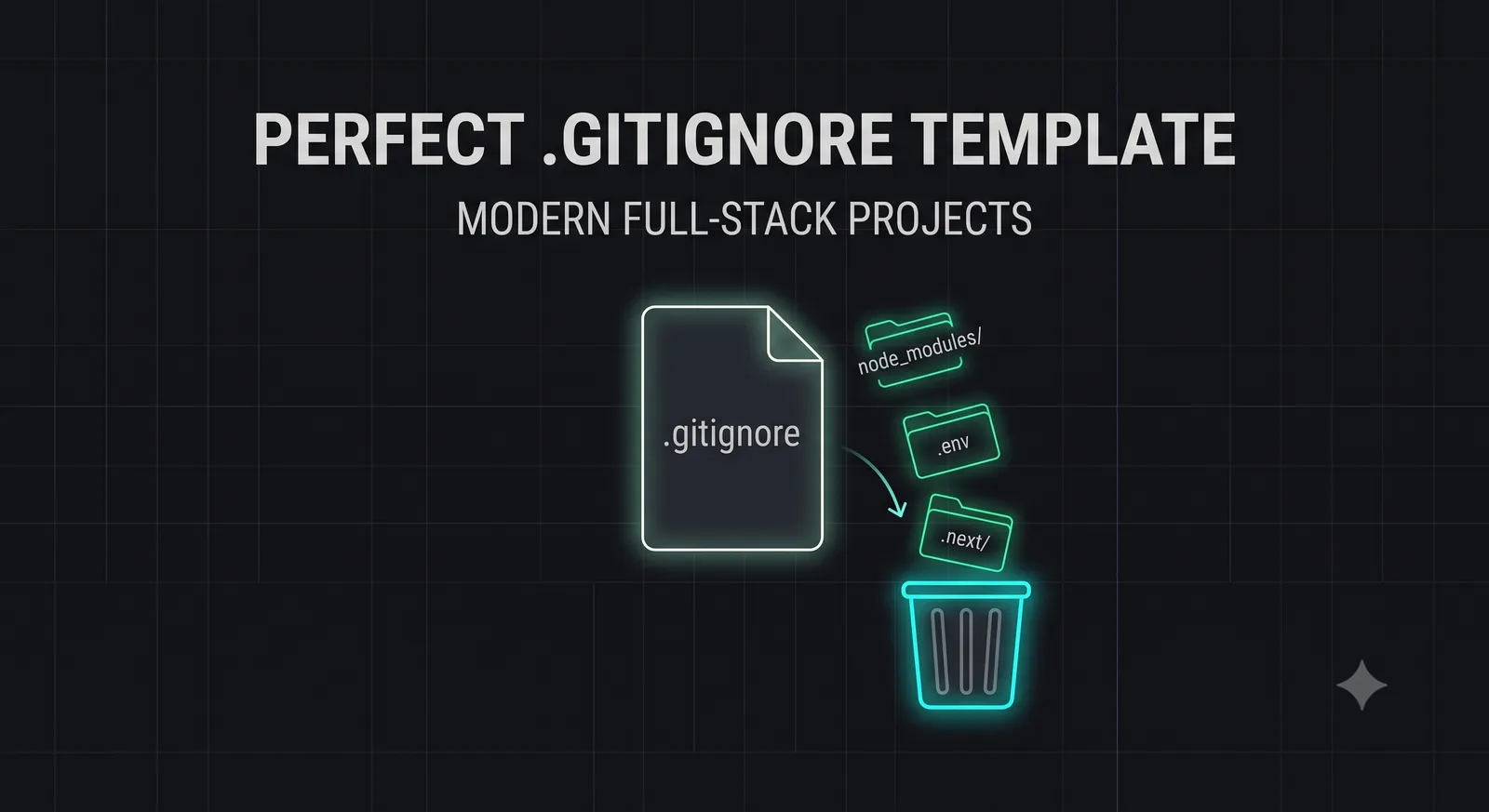
Introduction: The Unsung Hero of Git Repositories
When bootstrapping a new full-stack application, developers spend hours debating framework choices, database schemas, and hosting platforms.
Yet, one of the most critical files in your entire repository is often created as an afterthought, populated with a generic template, or ignored entirely: the **.gitignore** file.
In 2026, full-stack development is highly complex. A single modern project can utilize Next.js, Prisma, Supabase, Docker, Tailwind CSS, and various serverless testing frameworks.
Without a carefully configured .gitignore file, your repository will quickly become bloated with megabytes of local dependencies (node_modules), compiled build artifacts (.next, dist), local database locks, and IDE-specific metadata.
Even worse, a missing or poorly configured .gitignore is the number one cause of accidental credential leaks. Committing a .env file containing live Stripe, database, or OpenAI API keys to a public GitHub repository can compromise your entire infrastructure in seconds.
In this comprehensive guide, we will analyze the anatomy of a production-ready .gitignore file, provide a master template tailored for modern full-stack projects in 2026, and explain how to securely untrack files that have already been accidentally cached by Git.
Why a Custom .gitignore is Mandatory
A generic, one-size-fits-all .gitignore file is no longer sufficient for modern engineering workflows. A custom, structured template is mandatory to address three core engineering challenges:
- Preventing Repository Bloat: Committing compiled build files or package lock files increases your repository's size, slowing down clone and deployment times on serverless platforms.
- Avoiding Merge Conflicts: IDE-specific configuration files (like
.vscode/settings.json) or local system files (like macOS.DS_Store) change constantly based on individual developer setups. Committing them guarantees endless, frustrating merge conflicts. - Enforcing Security Guardrails: Keeping local database files, private keys, and environment variables out of version control is the foundation of Zero Trust architecture.
Anatomy of a Perfect .gitignore Template
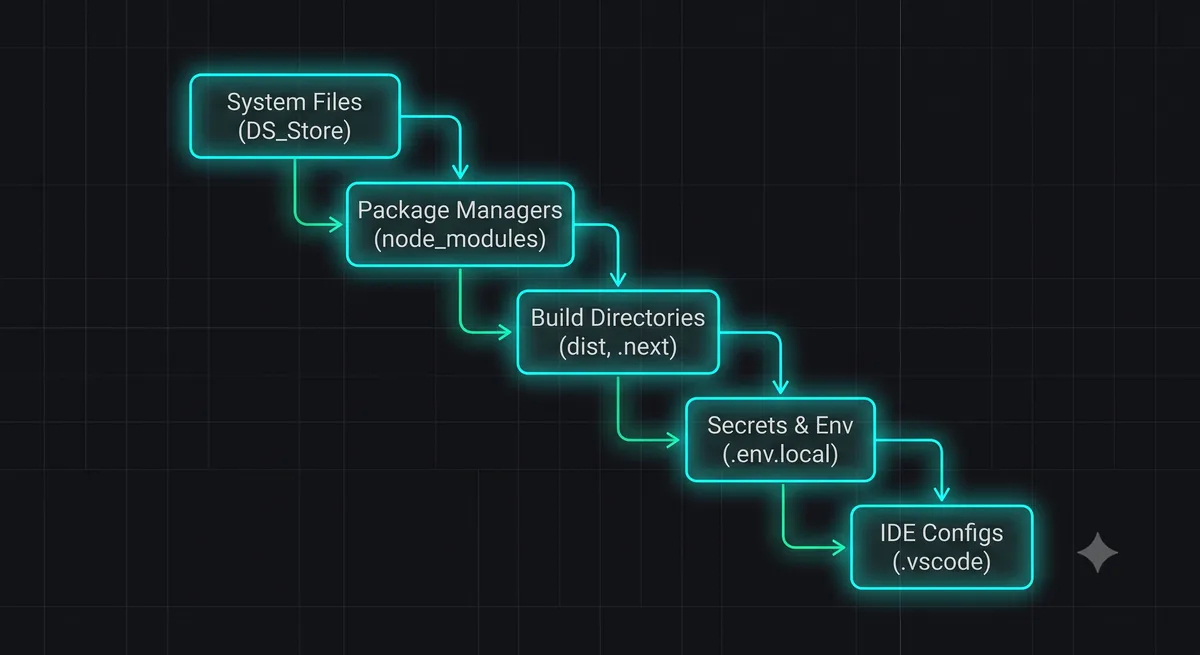
A production-ready .gitignore file must be organized into logical, commented sections, making it easy for your team to audit and update:
- System & OS Files: Ignores operating system metadata (macOS
.DS_Store, WindowsThumbs.db). - Package Managers: Ignores local dependency folders (
node_modules,.pnpm-store). - Build & Output Directories: Ignores compiled code (
dist,.next,build). - Secrets & Environment Variables: Ignores local configuration and credential files (
.env,.env.local,credentials.json). - IDE & Editor Configs: Ignores local editor workspaces (
.vscode/,.idea/). - Databases & Prisma: Ignores local SQLite files and generated Prisma clients.
The Master .gitignore Template for 2026
Copy the following master template and place it in the root of your full-stack project repository as .gitignore:
# ==============================================================================
# THE BYTE 404 — PERFECT FULL-STACK .GITIGNORE TEMPLATE (2026)
# ==============================================================================

# 1. System & OS Files
# ------------------------------------------------------------------------------
.DS_Store
.DS_Store?
._*
.Spotlight-V100
.Trashes
ehthumbs.db
Thumbs.db

# 2. Package Managers & Dependencies
# ------------------------------------------------------------------------------
node_modules/
/jspm_packages/
.npm/
.pnpm-store/
.yarn-state/
.yarn/install-state.gz
yarn-error.log
pnpm-debug.log

# 3. Build & Compiled Output Directories
# ------------------------------------------------------------------------------
/dist/
/build/
/out/
/.next/
/.astro/
/.svelte-kit/
/.nuxt/
/target/
.docusaurus/
.serverless/
.fusebox/

# 4. Secrets, Credentials & Environment Variables
# ------------------------------------------------------------------------------
.env
.env.local
.env.development.local
.env.test.local
.env.production.local
.env*.local
*.pem
*.key
*.pub
/certs/
/secrets/
credentials.json
service-account.json

# 5. IDE, Editor & Workspace Configs
# ------------------------------------------------------------------------------
.vscode/*
!.vscode/extensions.json
!.vscode/launch.json
.idea/
*.suo
*.ntvs*
*.njsproj
*.sln
*.swp
*~

# 6. Databases, Prisma & Local Docker
# ------------------------------------------------------------------------------
*.db
*.db-journal
*.sqlite
*.sqlite-journal
/prisma/generated-client/
/postgres-data/
/redis-data/
.docker-sync/

# 7. Testing, Coverage & Logs
# ------------------------------------------------------------------------------
/coverage/
/.nyc_output/
*.log
npm-debug.log*
yarn-debug.log*
pnpm-debug.log*
.eslintcache
.stylelintcache
.prettiercache
.tsbuildinfo
Secrets Security: The .env.example Pattern
Because your .env files are ignored by Git, other developers cloning your repository will not know which environment variables are required to run the application.
To solve this, always implement the **.env.example Pattern**:
- Create a file named
.env.example(which is not ignored by Git). - In this file, list all the required environment variable keys, but leave the values empty or populate them with safe, dummy mock values.
- Commit
.env.exampleto your repository.
Here is an example of a secure .env.example file:
# Database Connection (Supabase / PostgreSQL)
DATABASE_URL="postgresql://postgres:password@localhost:5432/mydb"

# User Authentication (Clerk)
NEXT_PUBLIC_CLERK_PUBLISHABLE_KEY=pk_test_your_key_here
CLERK_SECRET_KEY=sk_test_your_key_here

# Transactional Email (Resend)
RESEND_API_KEY=re_your_key_here
Untracking Files Already Cached by Git
If you add a file to .gitignore *after* it has already been committed to your repository, Git will continue to track and commit changes to that file. This is because .gitignore only prevents untracked files from being added; it does not retroactively ignore files that are already in Git's index.
To force Git to stop tracking a file without deleting it from your local hard drive, you must clear it from Git's cache.
Run these terminal commands sequentially:
Scenario A: Untrack a Single File (e.g., .env)
git rm --cached .env
git add .gitignore
git commit -m "chore: stop tracking .env file"
Scenario B: Untrack Everything and Re-Sync with .gitignore
If your repository is heavily bloated and you want to completely re-sync your index with your new .gitignore file, run this nuclear option:
git rm -r --cached .
git add .
git commit -m "chore: re-sync repository index with .gitignore"
Git Best Practices for Modern Teams
To ensure your repository remains clean, secure, and performant:
- Use Global Gitignores: For files that are unique to your local operating system (like
.DS_Storeor local terminal logs), configure a global.gitignoreon your machine rather than adding them to every project:git config --global core.excludesfile ~/.gitignore_global - Integrate Secret Scanners: Configure automated secret scanners (like GitGuardian or TruffleHog) in your GitHub repository. These tools scan every commit and immediately alert you if an API key escapes your
.gitignorefilters. - Enforce Pre-Commit Hooks: Use Husky and lint-staged to run code formatters and secret scanners locally before allowing a developer to commit code. Read our guide on Claude Code Hooks to learn more.
Conclusion: Clean Repositories, Secure Code
A carefully crafted .gitignore file is not a minor configuration detail; it is a fundamental pillar of repository health, team coordination, and application security.
By adopting our master full-stack template, implementing the .env.example pattern, and securing your Git index, you can protect your credentials, eliminate merge conflicts, and keep your repositories lean and fast.
To generate a custom .gitignore file tailored to your exact tech stack, launch our interactive .gitignore Generator Tool, or read our guide on Web App Security to protect your serverless endpoints.